
Download PhotoStudio Darkroom – photo editor, RAW editor, image enhancement, photo editing tools, digital photography
Overview
PhotoStudio Darkroom is a dedicated mobile application designed for individuals seeking advanced image editing capabilities directly on their smartphones. As a tool focused on digital photography, it addresses the growing need for portable yet powerful photo enhancement solutions. The app supports a wide range of file formats, including RAW, JPEG, and TIFF, making it compatible with high-resolution images captured by professional and enthusiast-grade cameras. This compatibility allows users to maintain image integrity while applying precise edits, which is essential for post-processing workflows. The target audience includes amateur photographers, content creators, and mobile-first image editors who require more than basic adjustments.
Developed by PhotoStudio Inc., the app has been available since January 16, 2009, indicating a long-standing presence in the mobile photography space. While the developer did not provide additional technical details about the company’s background or mission, the app’s continued existence suggests a stable and functional product. Real-world use cases include editing travel photos, preparing images for social media, and refining RAW files for print or web use. In the broader app ecosystem, PhotoStudio Darkroom occupies a niche between consumer-friendly photo apps and desktop-grade software, offering a balanced experience for users who want professional-level tools without the complexity of full desktop suites.
Key Features & Functionality
- Wide Format Support: The app supports RAW, JPEG, and TIFF formats, enabling users to work with high-quality images from various camera systems. This feature ensures that users are not limited by file type, preserving image quality during editing.
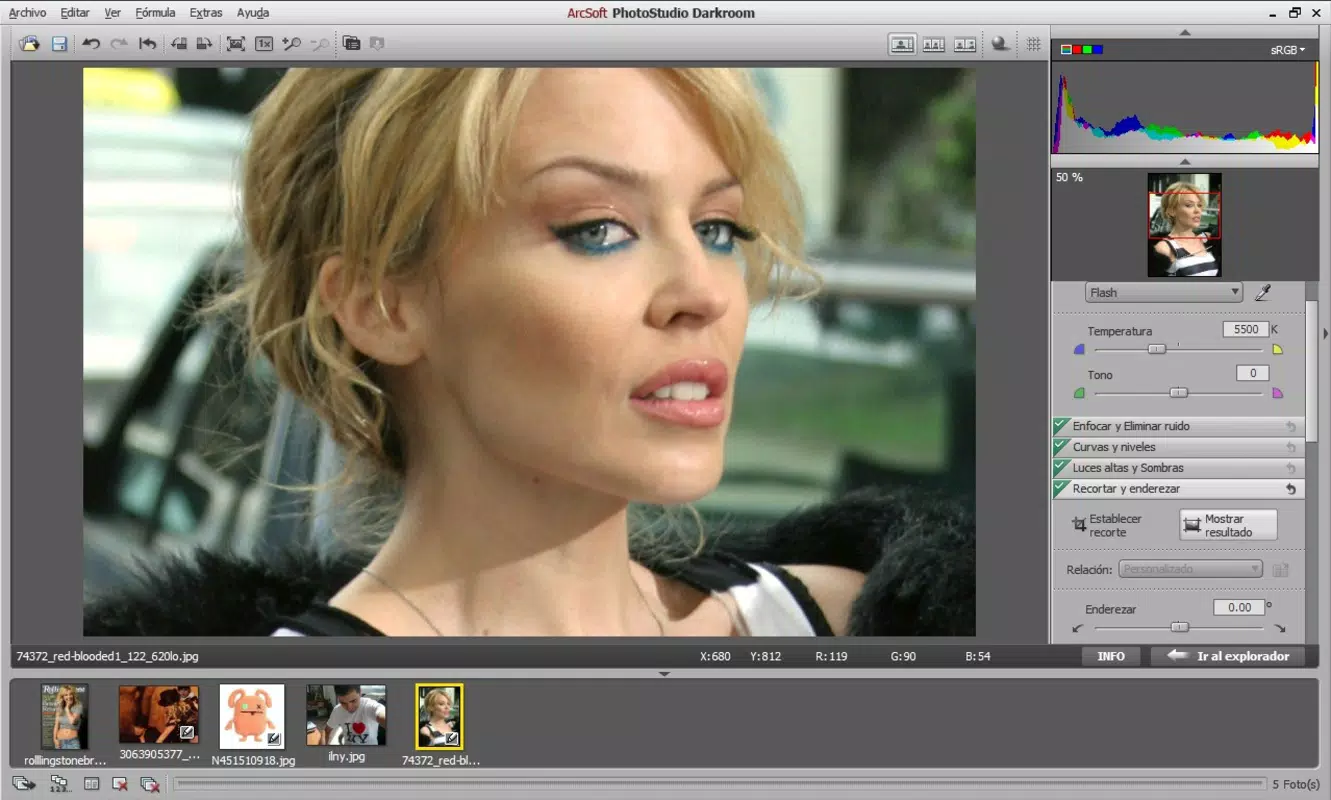
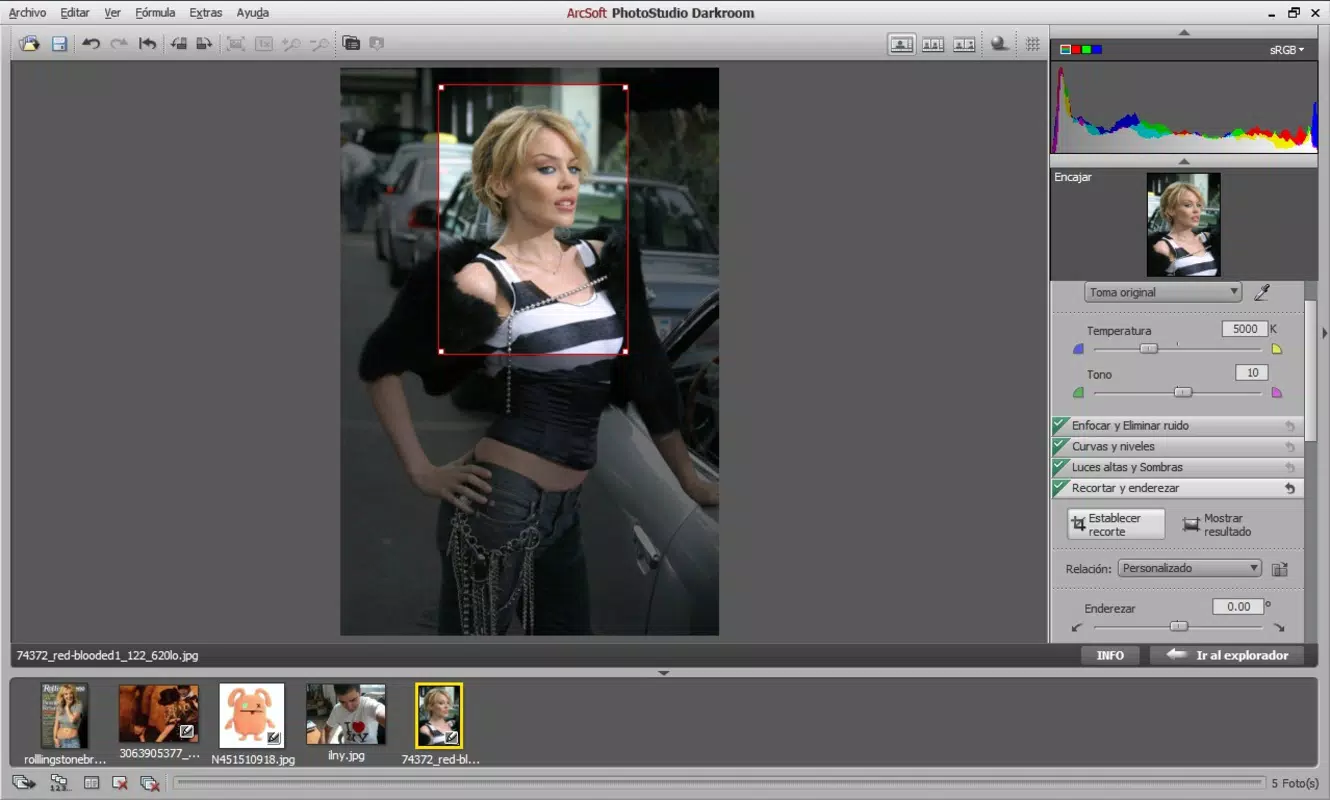
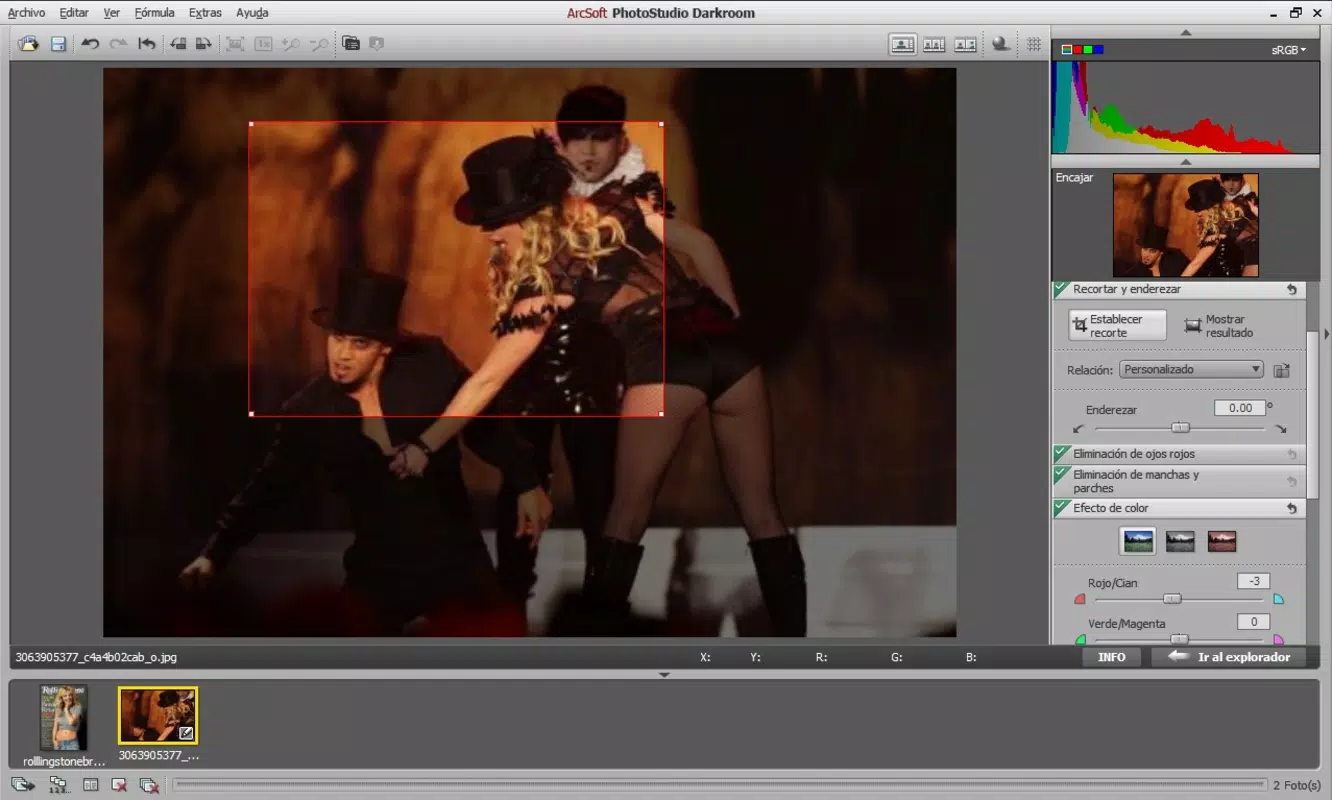
- Diverse Editing Tools: A comprehensive suite of tools includes color curve adjustments, luminosity controls, and red-eye correction. These allow for precise manipulation of tone, contrast, and color balance, ideal for correcting exposure issues or enhancing mood.
- Batch Processing Capability: Users can group multiple photos and apply the same edits across all images simultaneously. This functionality is particularly useful for editing event or project-based photo sets, significantly reducing time spent on repetitive tasks.
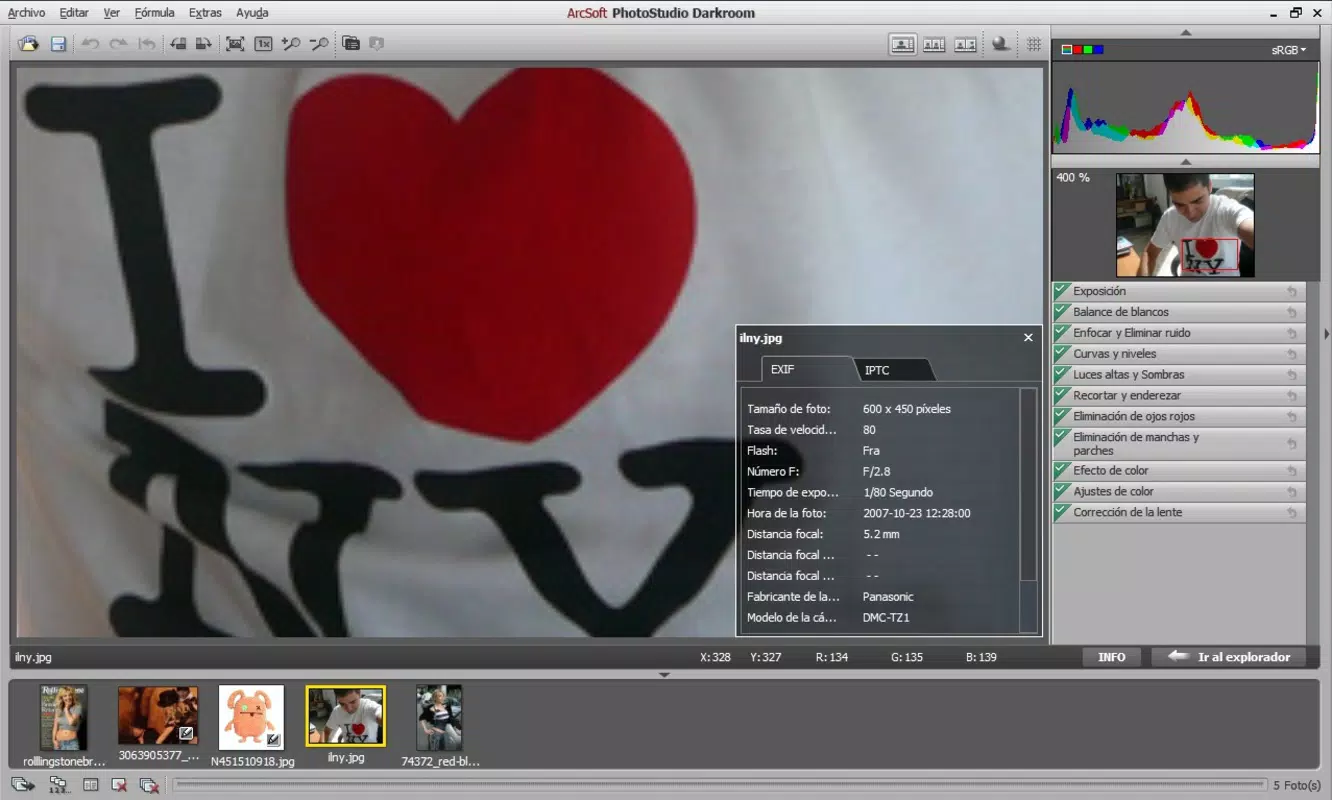
- Detailed Photo Information: With support for RAW files, the app displays metadata such as exposure settings, lens type, and GPS location. This information aids in both editing decisions and archival purposes.
- Flexible Export Options: After editing, images can be exported in high-quality JPG or TIFF formats. Users can select export quality levels to balance file size and visual fidelity, making the output suitable for web, print, or sharing.
For example, a wedding photographer might use batch processing to apply consistent color grading to 200 images from a single event. Similarly, a travel blogger could edit RAW files from a remote location and export them in optimized formats for immediate social media posting. These practical applications demonstrate the app’s utility in real-world workflows.
Interface, UX & Performance
PhotoStudio Darkroom features a clean, intuitive interface designed to streamline the editing process. The layout organizes tools in accessible panels, allowing users to navigate between adjustments without confusion. Visual cues and responsive controls contribute to a smooth user experience, especially for those familiar with desktop editing software. Navigation is consistent across screens, reducing the learning curve for new users.
Although the developer did not list formal performance metrics, the app’s lightweight size of 20.7 MB suggests efficient resource usage. It is expected to run smoothly on mid-range and high-end Android devices, though performance may vary on older or low-memory devices. Responsiveness is maintained during common tasks such as zooming, adjusting curves, and applying filters. Stability appears to be well-maintained, given the app’s long release history. The interface remains functional across different screen sizes and orientations, supporting both portrait and landscape modes.
Platform Compatibility & Technical Requirements
PhotoStudio Darkroom is available exclusively on the Android platform. The current version is 1.8.4, with a file size of 20.7 MB. While the developer did not specify minimum OS requirements or device compatibility details, the app’s long-standing presence suggests it supports a broad range of Android versions. Users should ensure their device meets the general requirements for running modern Android applications. Compatibility information was not fully disclosed, so potential users are advised to verify system compatibility before installation.
Pros and Cons
Pros
- Supports RAW and other high-quality image formats for professional-grade editing.
- Offers batch processing for efficient editing of multiple photos.
- Provides detailed metadata access for better understanding of image sources.
- Intuitive interface with logical tool organization.
- Flexible export options with quality control settings.
Cons
- Price point of $4.99 may be considered high for casual users.
- Limited to Android platform; no iOS version available.
- Developer did not disclose minimum OS or device requirements.
- No mention of cloud sync or collaboration features.
- App size, while small, may still be a concern on very low-storage devices.
FAQ
Is PhotoStudio Darkroom available for iOS?
As of now, the app is only available on the Android platform. There is no official iOS version released by the developer.
Can I edit RAW files on my smartphone using this app?
Yes, PhotoStudio Darkroom supports RAW file editing, allowing users to work with high-resolution images captured by digital cameras.
Does the app support batch editing of photos?
Yes, users can group multiple images and apply the same editing effects to all of them at once, saving time during post-processing.
What file formats can I export after editing?
Edited photos can be exported in high-quality JPG or TIFF formats, with options to adjust export quality based on intended use.
Is the app secure and safe to download?
As a long-standing application developed by PhotoStudio Inc., it is considered secure for download. Users should obtain the app from official sources such as the Google Play Store to ensure authenticity.
Final Thoughts
PhotoStudio Darkroom stands out as a capable mobile solution for users who demand more than basic photo editing. Its support for RAW files, batch processing, and detailed metadata access makes it a valuable tool for serious mobile photographers and content creators. While the $4.99 price tag may deter casual users, the app delivers tangible benefits for those invested in image quality and workflow efficiency. The clean interface and stable performance further enhance its appeal. For Android users seeking a professional-grade photo editor in a mobile format, this app offers a compelling combination of features and reliability.
Download PhotoStudio Darkroom now


